
Your calories are missing again. Let’s fix that.
If you charge your Apple Watch overnight, the resting calories for those hours sometimes don’t reach Apple Health. Calorie Gap finds the missing hours and fills them in using your own burn rate — so Lose It! and other calorie trackers get your full daily burn.

Your daily calories are randomly off.
When you put your Apple Watch back on after charging, it’s supposed to fill in resting calories for the hours it was off. Some nights it doesn’t, and those hours stay empty in Apple Health. If you’re counting calories for weight loss, apps like Lose It! then undercount your daily burn and give you a smaller calorie budget.
The problem
500+ overnight calories could be missing
It’s not just you.
“It’s an absolute joke that an $800 watch can’t do something so basic consistently.”
“I can fix it by calculating how many hours I am missing and manually adding data in the health app, but that is a pain.”
“I’ve tried restarting the watch and the phone, making sure both are updated, repairing the watch, etc.”
“I track calories for weightloss so my resting energy is important to me. For some reason, once or twice a week, my resting energy will be much lower than normal.”
“Don’t even know why I use my watch to track my calorie burn if they never gonna track my resting calories.”
“Oh my god it’s the overnight calories not being entered!! Most nights it’s there but sometimes it isn’t.”
No more missing overnight calories.
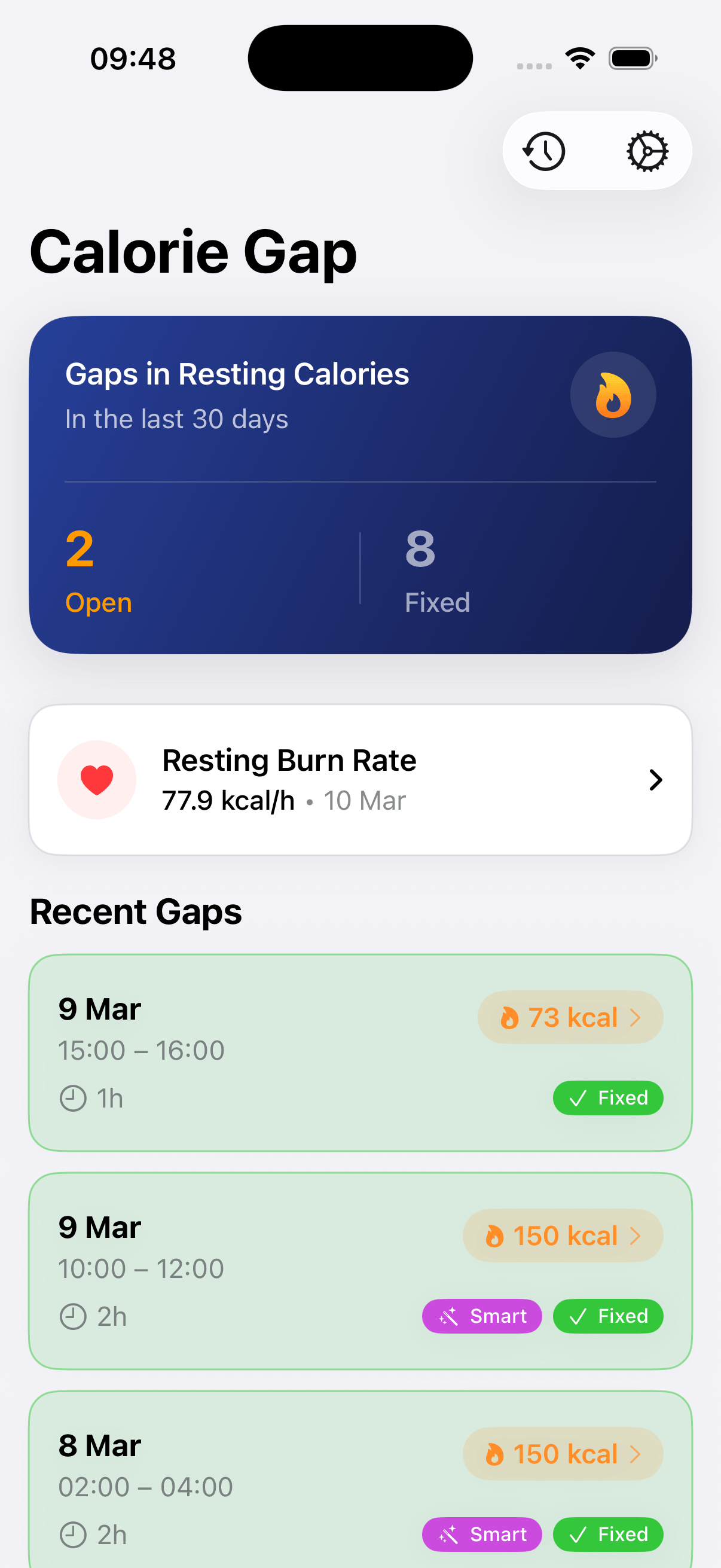
Calorie Gap finds the missing hours in your resting energy and fills them in using your own burn rate, automatically in the background. Every app that reads your Health data gets your full daily burn.
The solution
Missing calories added by Calorie Gap
Features
Automatic Gap Detection
Scans your resting energy history and monitors for new gaps in the background*
Automatic Gap Fixing
Gaps are fixed automatically, even when the app isn’t open*
Sleep-Aware Rates
Uses different burn rates for sleep vs. waking hours for more accurate estimates
Gap Inspector
View each gap in a timeline with context hours before and after, plus the exact estimation formula used
Notifications
Get alerted when new gaps appear or are auto-fixed
Fully Reversible
Every fix can be undone. No risk of messing up your data
*All automation is optional — review and fix each gap manually if you prefer. Automatic features are best-effort (due to iOS restrictions) and may occasionally require you to manually open the app to catch up with the latest Health data.
See it in action
See all your data at a glance
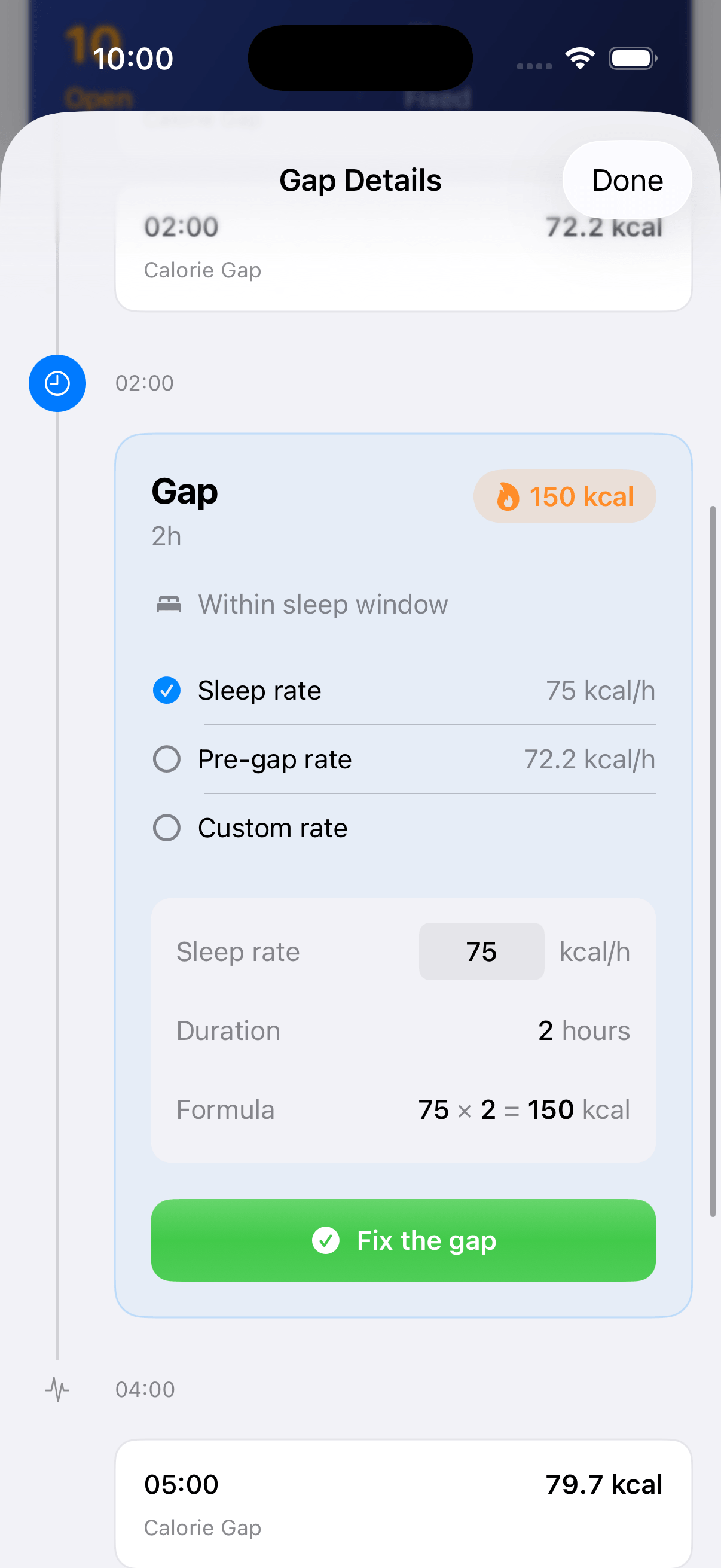
Inspect and fix each gap
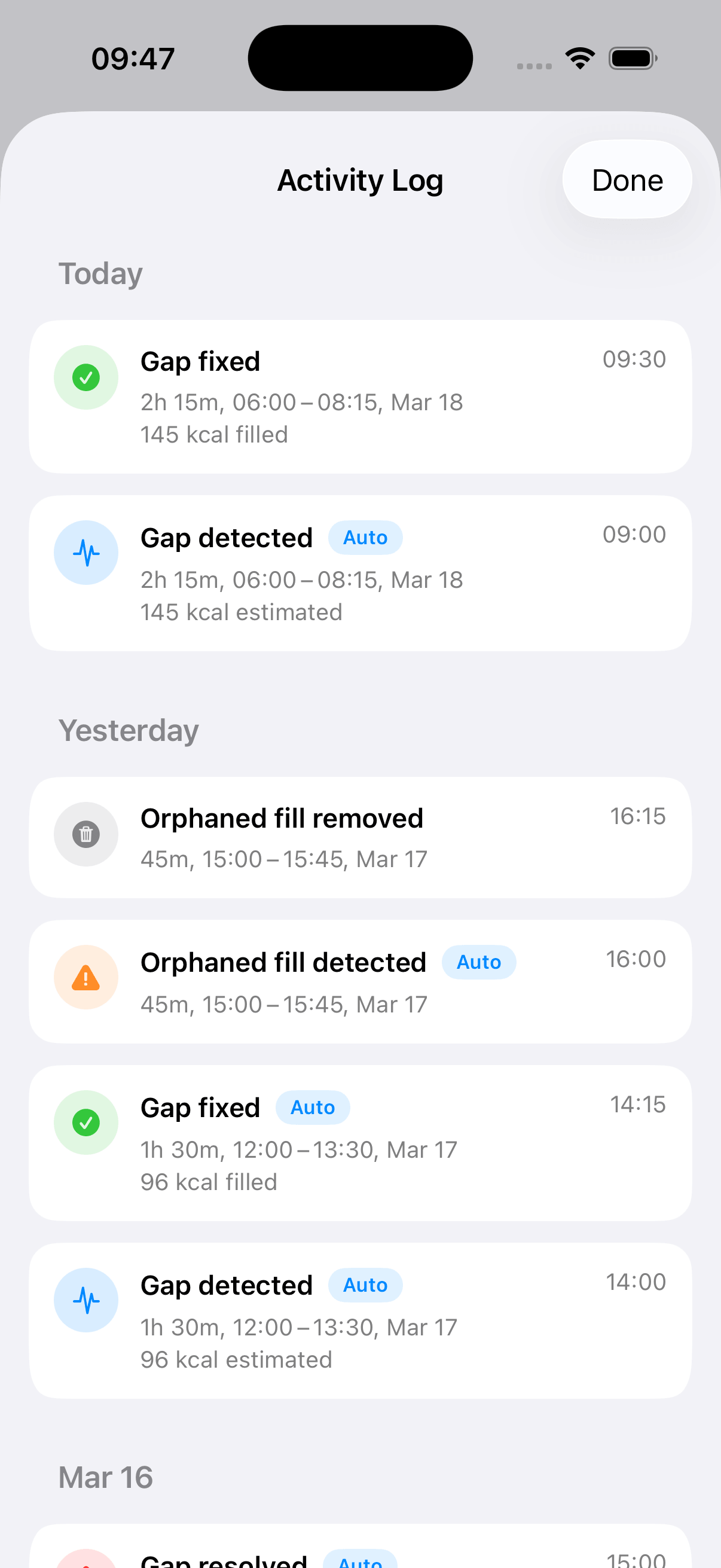
Track every correction
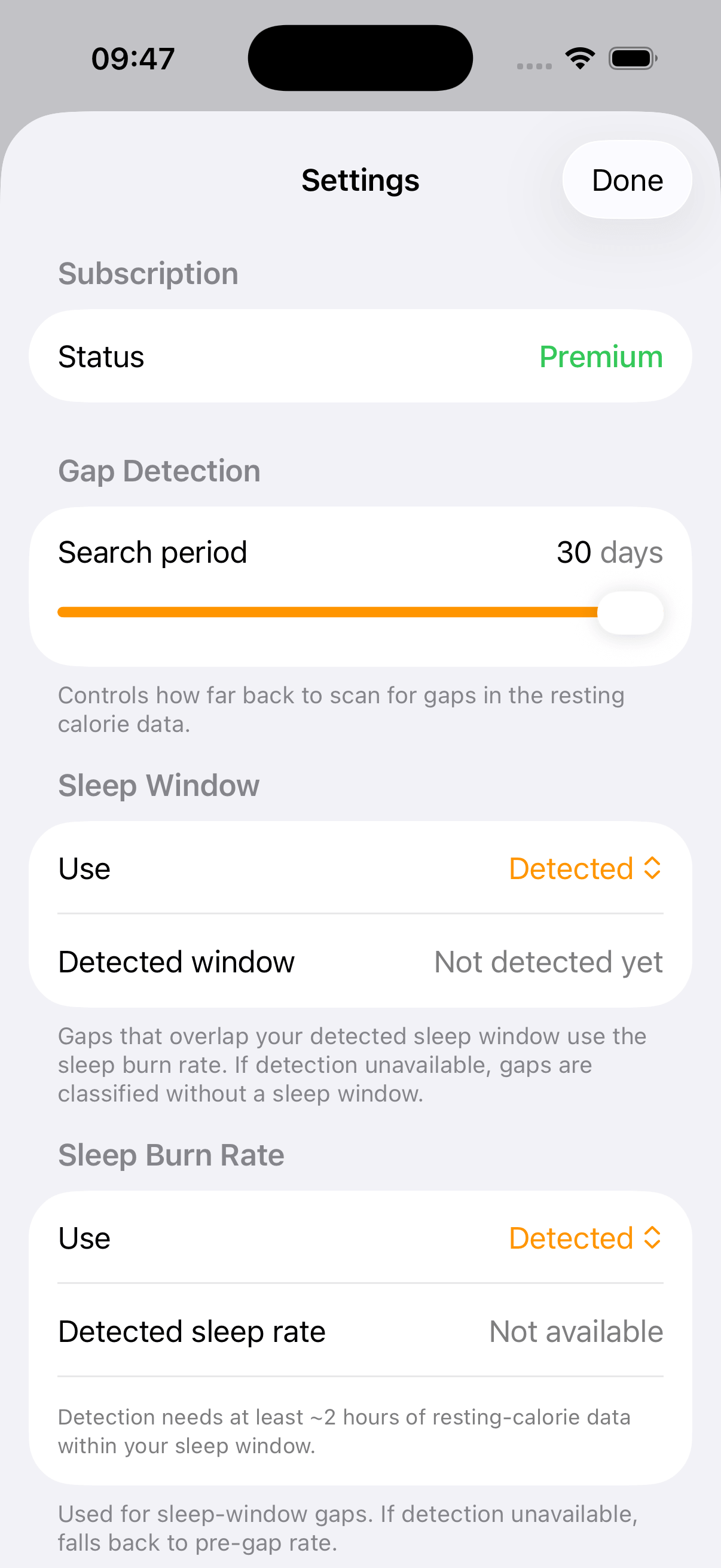
Customize to your needs
Pay once, keep it forever
No subscription — just a one-time purchase. And you can try every feature free for 14 days before deciding.